Facebook Feed

$29.00

Facebook Feed is the plugin to display public Facebook feeds on your site with lots of customization options.

User Guide

Edition

Installation Service

Support

Increase followers for a useful promoting channel, Facebook page

Showing Facebook Page on the websites notifies visitors about the availability of another channel. The customers feel curious to find more, drop by and then click on the Like button to follow. As a result, Page has gained new potential followers. Besides, if the followers comment or share a store’s posts, it will continue enriching the number of followers of the Fan Page.

Introduce another trendy way to follow the shop information

According to research, there are billions of monthly active Facebook users, which brings Facebook to become more and more trendy all over the world. As a result, visitors tend to be more interested if they can access shopping information quickly via this frequently-used channel.

A mutual interactive bridge between shoppers and shop owners

Embedding Facebook Page on the website brings easy contact between visitors and store owners via multiple channels. Customers and store staff not only can chat via the website chatbox but also via Facebook messenger, or Facebook comments on sites. As a result, stores can support customers more effectively and raise the conversion rate significantly.

Brings the professional look to an online shop

Implementing another trendy channel on the website creates the professional look to an online store. The interface of the site becomes more interactive and animated. Customers feel it up-to-date to access simultaneously news on both channels - Website and Facebook.

1. How can I locate the Facebook Feed in any places I want on the store site?

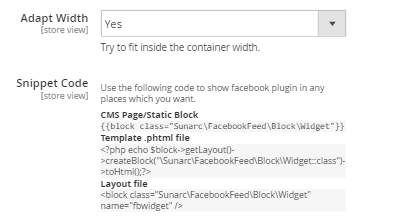
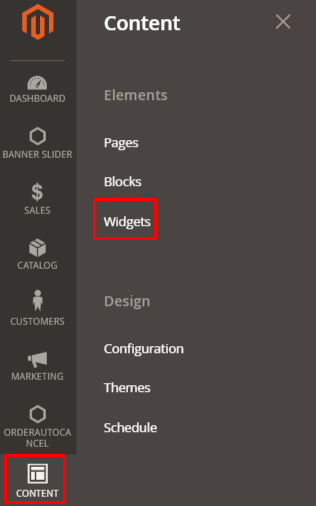
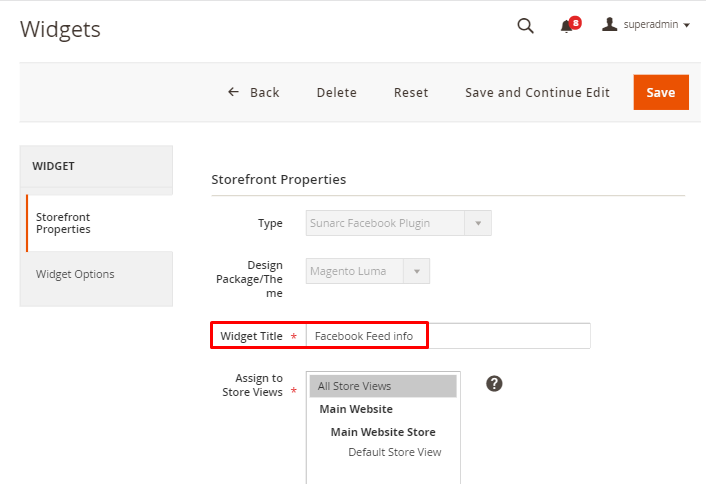
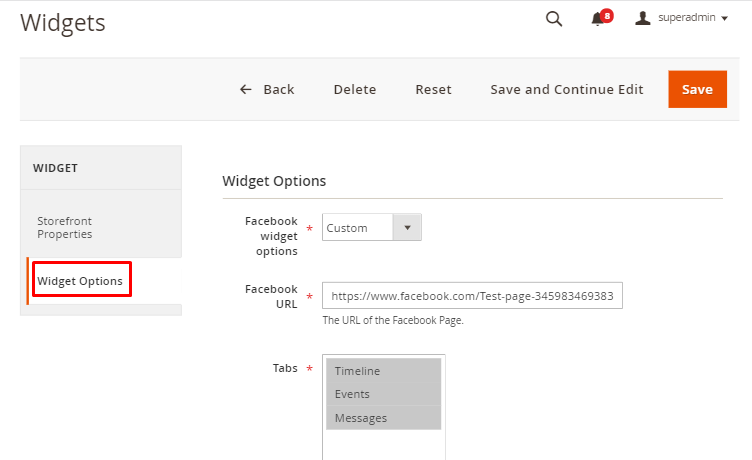
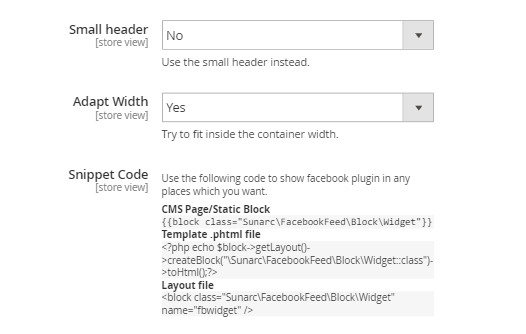
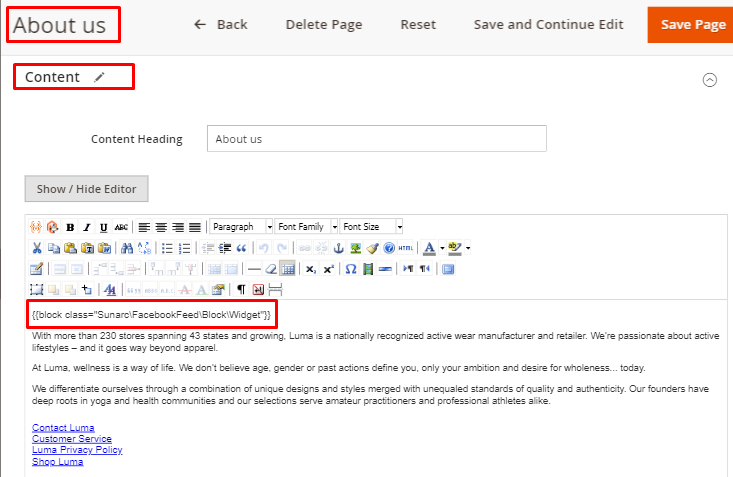
Ans - You can do it with the following path: Go to Block > Elements then select Facebook Widget. Then, you can embed the widget on any CMS Page or Block you wish.

2. How many tabs can I add on Facebook Feed plugin?

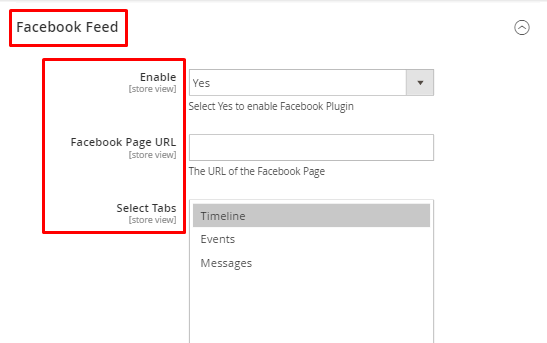
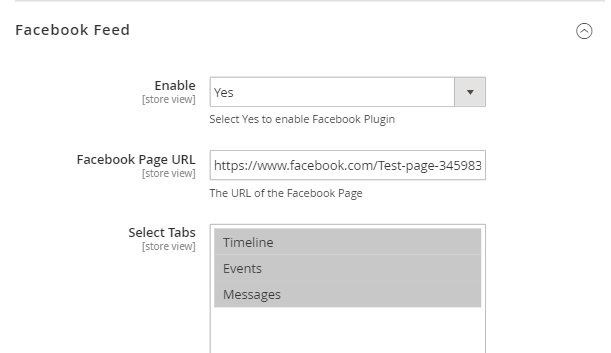
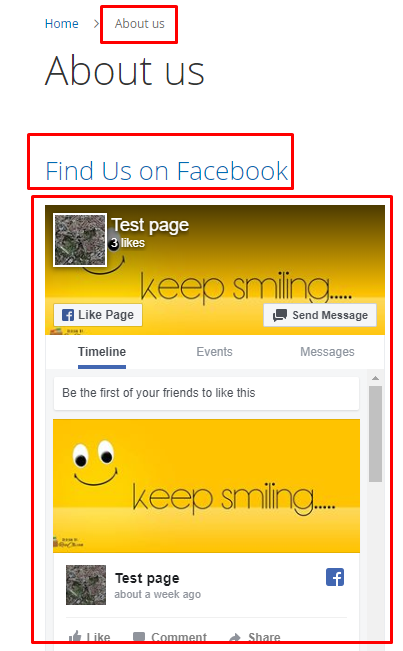
Ans - Three tabs including Timeline, Event, and Messages you can select to add on Facebook Feed extension.

3. Can I add Share button or Sign up button on Facebook Feed extension?

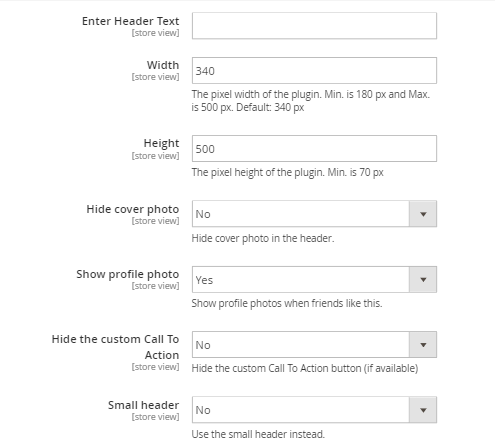
Ans - Yes, absolutely. Call to Action buttons can be allowed to appear from admin backends. Please note that your Facebook page has already set up this button.

4. How can I adjust the size of the Facebook Feed extension?

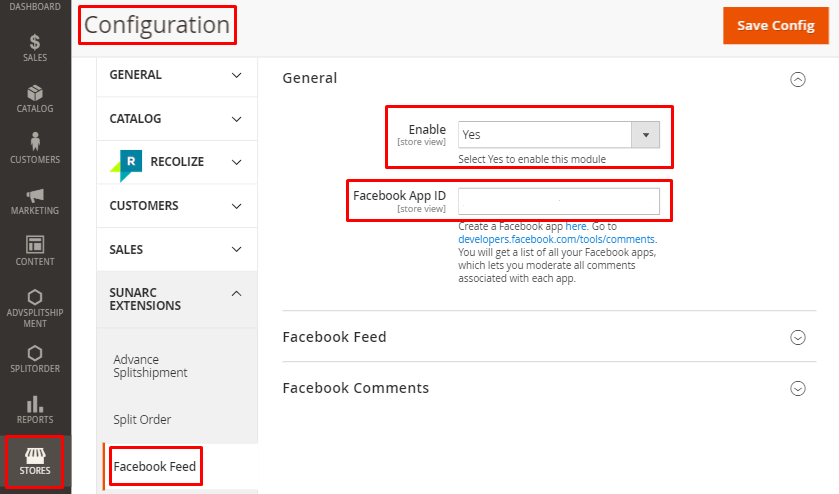
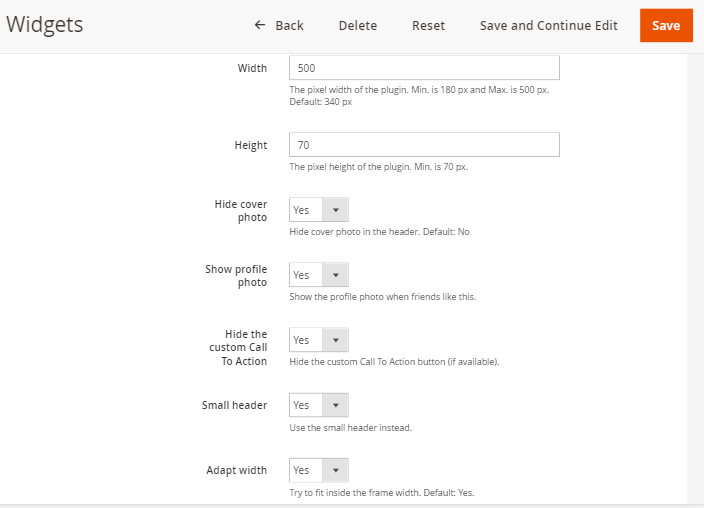
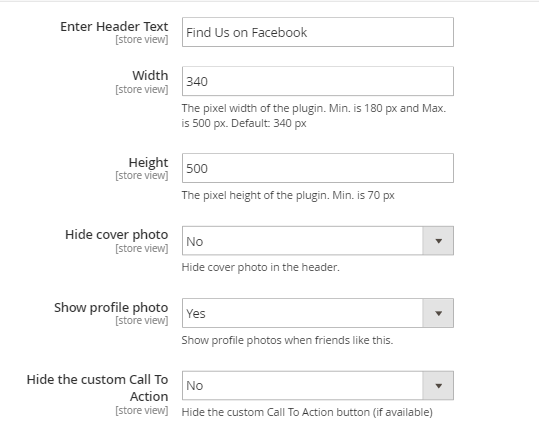
Ans - The size of Facebook Feed can be done easily from setting fields on the admin backend.

Version1.0.1
Match VersionNo
Compatible withMagento 2.1.x, 2.2.x, 2.3.x and 2.4.x
Support

Feel free to contact us in case of concerns. We are available at Send Email.

Comes with

  • FREE Updates and Improvements

  • One Month FREE Support

  • Risk-FREE 30-day Money Back

All stores will be having different requirements from the same extensions. To tweak the functionality or add a new idea to the extensions you purchased, fill the form below and submit it.

    Reviews

    There are no reviews yet.

    Be the first to review “Facebook Feed”

    Your email address will not be published. Required fields are marked *